
Voltage Modular Zeroscillator: FM, Through-Zero FM and Wave Morphing
How does the Voltage Modular Zeroscillator work, and how can you use its linear FM, through-zero FM, exponential FM and wave-morphing functions?
The FM Universe: The Voltage Modular Zeroscillator Explained
The Zeroscillator is an unusually versatile oscillator for exploring frequency modulation and complex timbral changes. Originally designed as a hardware module by Mark Barton in 2005, it was developed in cooperation with Cynthia Webster of Cyndustries. The software version for Cherry Audio Voltage Modular was also created by Mark Barton.
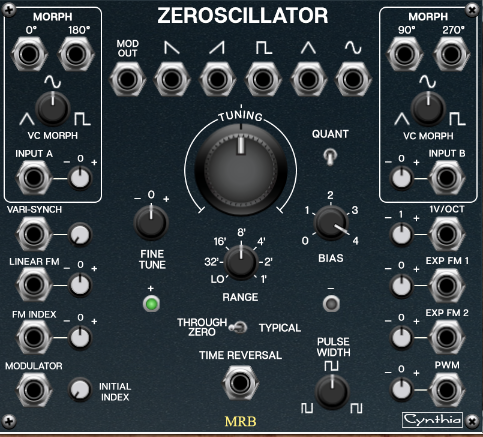
The Zeroscillator is capable of much more than simply using one oscillator to modulate the frequency of another. Its functions include linear FM, through-zero linear FM, exponential FM, pulse width modulation, time reversal, and wave morphing. Its unusual routing possibilities make it particularly interesting when you want to explore how modulation changes a sound's spectrum over time.
In this article, I will concentrate on the module's practical functionality and explain how its controls interact. Rather than approaching through-zero FM primarily from the perspective of waveform shapes, I will also consider the spectral consequences of modulation.
If you want to see the hardware version in action, Cynthia Webster made a video about the original Zeroscillator:
Watch Cynthia Webster's Zeroscillator video on YouTube
Mark Barton also demonstrates the Voltage Modular version:
Watch Mark Barton's Voltage Modular Zeroscillator video
1. Outputs and the modulation signal
At the top of the Voltage Modular module, you will find six outputs. The oscillator offers several waveform and modulation-related signals, giving you different ways to use its internal signal paths.
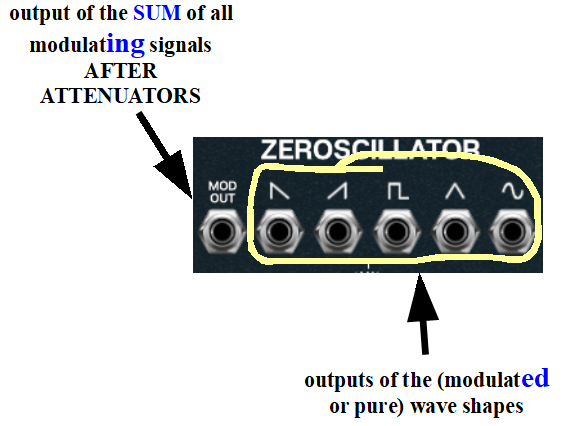
Without modulation, its available basic waveforms are clean, digitally generated signals. Once you begin modulating the oscillator, their spectral content can become considerably more complex.
One particularly useful output is MOD OUT. This output provides the sum of the signals entering the linear FM inputs, as they reach the internal modulation mechanism, or core.
That distinction matters. The output reflects the signals after the relevant input attenuators and after any modulation affecting the strength of those signals. It is therefore useful for monitoring the effective modulation signal rather than simply observing the original signals patched into the inputs.
2. Linear FM, the MODULATOR input and FM INDEX
The Zeroscillator provides more than one way to introduce linear frequency modulation.
The MODULATOR input works together with the FM INDEX input and its attenuator. The signal patched into MODULATOR affects the oscillator's frequency, while the amount of that effect depends on the modulation strength controlled by FM INDEX.
You can think of the FM INDEX input as a way to control the depth of the modulation applied through MODULATOR.
For example, patch a slow LFO into MODULATOR and a slowly changing control voltage into FM INDEX. The LFO supplies the modulating signal, while the control voltage changes how strongly it affects the oscillator. Instead of a fixed amount of FM, you now have a modulation depth that evolves over time.
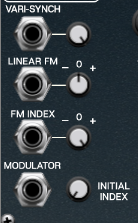
The LINEAR FM inputs offer another route. Each has its own attenuator, which controls the amount of its signal reaching the modulation core. These inputs do not depend on the FM INDEX control in the same way as the MODULATOR route.
This distinction gives you considerable freedom to combine signals. One source can supply the principal FM, while another controls the modulation depth of a different source.
INITIAL INDEX: adding background modulation
Beside the MODULATOR input is a control called INITIAL INDEX.
Turning it clockwise adds an additional amount of FM to the modulation associated with the MODULATOR/FM INDEX route. You can think of this as a background amount of modulation: even without dynamically changing FM INDEX, you can establish a baseline level of FM.
INITIAL INDEX does not add this background modulation to the signal entering through the LINEAR FM inputs.
Try setting INITIAL INDEX to zero, then gradually increase it while listening to the same modulation source. Notice how the oscillator's timbre changes even though the modulator itself remains unchanged.
3. Linear FM and through-zero FM
The Zeroscillator lets you switch between conventional linear FM and through-zero linear FM.
In conventional linear FM, the modulation changes the oscillator's instantaneous frequency, but the oscillator does not reverse its direction of phase progression in the same way as it does during through-zero operation.
With through-zero FM, the instantaneous frequency can pass through zero and become negative. During that part of the cycle, the waveform's phase progression reverses direction. This allows different relationships between the carrier and modulator, and can produce distinctive spectral results.
The Zeroscillator's indicators help you see whether it is operating in the forward or reverse part of its through-zero modulation cycle.
To hear the difference, start with a simple FM patch and switch between the two modes without changing any other settings. Try several modulation depths and modulator frequencies. The audible difference depends on the settings, so don't expect one mode to sound universally brighter, darker, smoother, or harsher than the other.
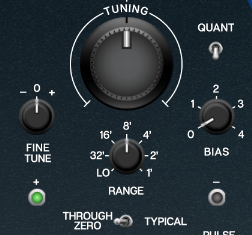
One important practical detail concerns the BIAS control. When BIAS is at zero, no DC offset or modulation is applied through the relevant linear FM paths, and the oscillator may stop running. If you want to use the oscillator without an active linear FM signal—for example, when using only exponential FM—set BIAS to 1 or higher as a starting point.
4. Tuning and quantization
The tuning section provides the TUNING, FINE TUNE and RANGE controls. There is also a quantization function that can make melodic work much easier.
When quantization is enabled, the large TUNE control steps through frequencies in semitone increments. This is particularly useful when setting up intervals between oscillators or finding a particular musical relationship between a carrier and modulator.
Try tuning the oscillator a perfect fifth below another oscillator, then experiment with different intervals. You can also disable quantization for more continuous tuning and less conventional frequency relationships.
5. Exponential FM and pitch control
On the other side of the module are the exponential FM inputs.
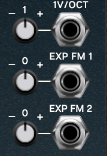
The upper input, 1V/OCT, is normally used for conventional pitch control. Connect a sequencer, keyboard, or DAW-generated control voltage, and the oscillator can follow a melodic sequence.
The attenuator beside this input adjusts the relationship between incoming voltage and pitch. In its standard setting, one volt corresponds to one octave. Turning it away from that setting changes the scaling, allowing other pitch relationships and microtonal results.
When you patch an oscillating signal rather than a steady pitch CV into this input, the attenuator also affects the strength of the resulting exponential frequency modulation.
Below it are the EXP FM 1 and EXP FM 2 inputs. These have bidirectional attenuators, with the central position representing zero modulation. Turning a control clockwise introduces modulation with one polarity; turning it counterclockwise reverses that polarity.
When using a keyboard or sequencer CV, reversing the polarity reverses the direction of the pitch response: higher incoming control voltages can produce lower pitches, and vice versa.
When using an oscillating signal as the modulator, reversing the polarity changes the modulation relationship. The resulting sound may remain similar in some circumstances, but it is not guaranteed to be identical in every patch.
A particularly useful experiment: opposing modulation
Try patching the same waveform into EXP FM 1 and EXP FM 2. Set their attenuators to opposing positions.
With matching signals and appropriately matched settings, the effects can cancel, leaving little or no net modulation. This gives you a practical way to explore signal subtraction within the oscillator's exponential modulation paths.
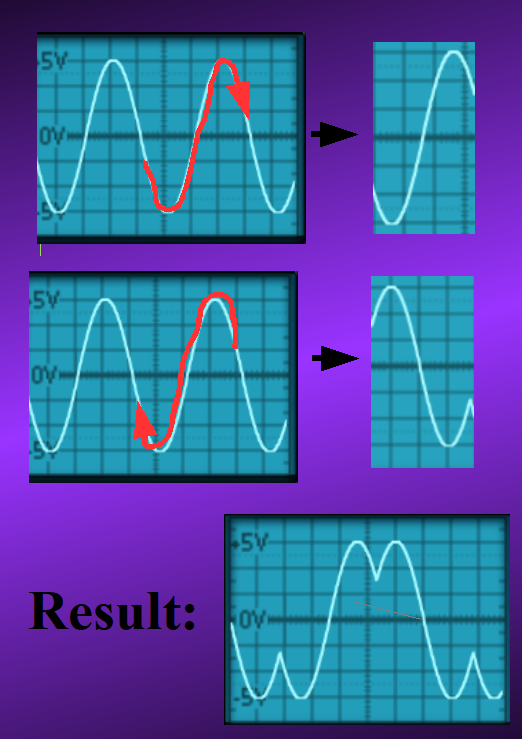
Next, use different signals at the two inputs. For example, try a triangle wave at one input and a sawtooth at the other. Their combined effect can create a more complex modulation pattern than either source alone.
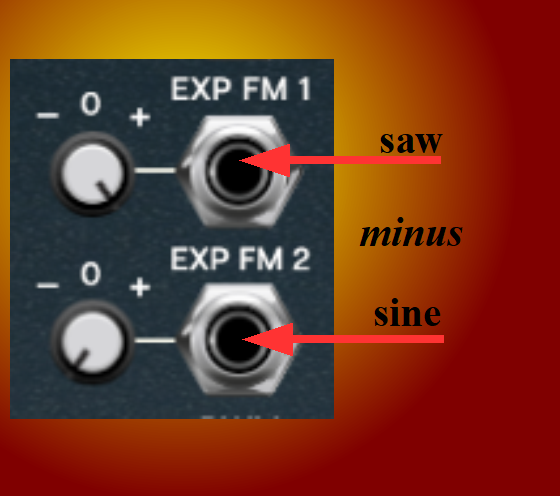
The results depend on the relative amplitudes, offsets, frequencies and attenuator settings. Treat this as an invitation to experiment rather than expecting every pair of waveforms to cancel or combine in a predictable way.
6. Pulse width modulation
The pulse width modulation section provides a dedicated PWM input and attenuator.
PWM changes the relative duration of the high and low portions of a pulse waveform. This changes its harmonic content and can create anything from subtle tonal variation to a distinctly animated, hollow or nasal character.
Patch a slow LFO into the PWM input and listen to the sound as the pulse width changes. Then try a faster modulator or a more complex control signal.
PWM can be combined with FM, allowing the oscillator's frequency and waveform shape to change simultaneously.
7. TIME REVERSAL
The TIME REVERSAL input allows the oscillator's phase progression to reverse direction. A modulation signal can make the oscillator move between forward and reverse operation.
Try patching a square wave into TIME REVERSAL. Then substitute a sawtooth or ramp waveform. Different signal shapes create different timing patterns and transitions between the two directions.
You can also try slow and fast modulation rates. Slow changes can create obvious alternations between forward and reverse motion, while faster changes may produce more complex timbral effects.
This is a particularly interesting feature when combined with FM, since the resulting sound reflects the interaction of frequency modulation and changing phase direction.
8. Wave morphing and phase-related outputs
The Zeroscillator's MORPH function lets you move continuously between triangle, sine and square waveforms. You can control the morphing manually, with a control voltage, or using a modulating signal.
This makes it possible to change the harmonic character of the oscillator while playing a note or running a sequence.
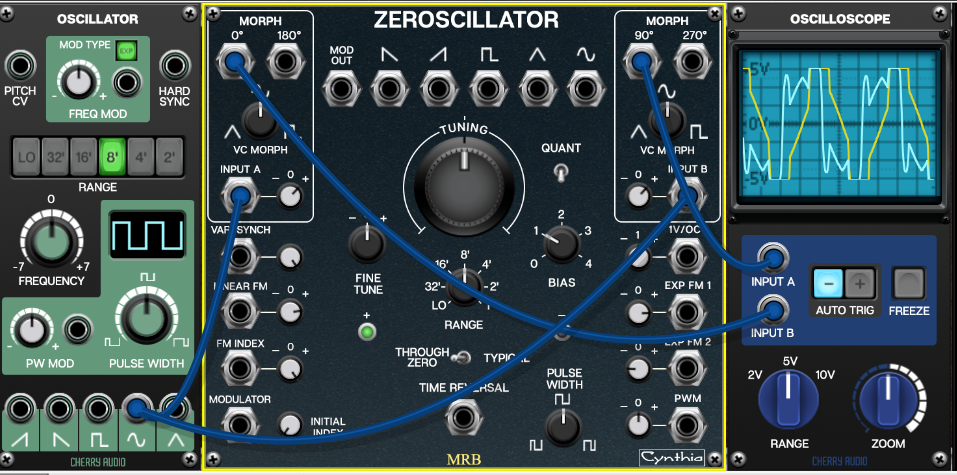
The module also provides four morphing outputs with different phase angles: 0°, 90°, 180° and 270°. These are particularly useful for stereo and phase-related patches.
For example, send the 0° output to the left audio channel and the 180° output to the right channel. The two signals are phase-related, but the audible result depends on the waveform, morph position, modulation and playback system. Other combinations of phase outputs can produce different stereo impressions.
If you use all four outputs in a larger patch, try routing them to separate processing chains. Different filters, delays, or modulation effects can turn the phase-related signals into a more elaborate stereo texture.
9. Combining the functions
The Zeroscillator becomes most interesting when its functions interact. You can use one oscillator to modulate another, use one phase-related output to control modulation depth, and change the modulator's waveform over time.
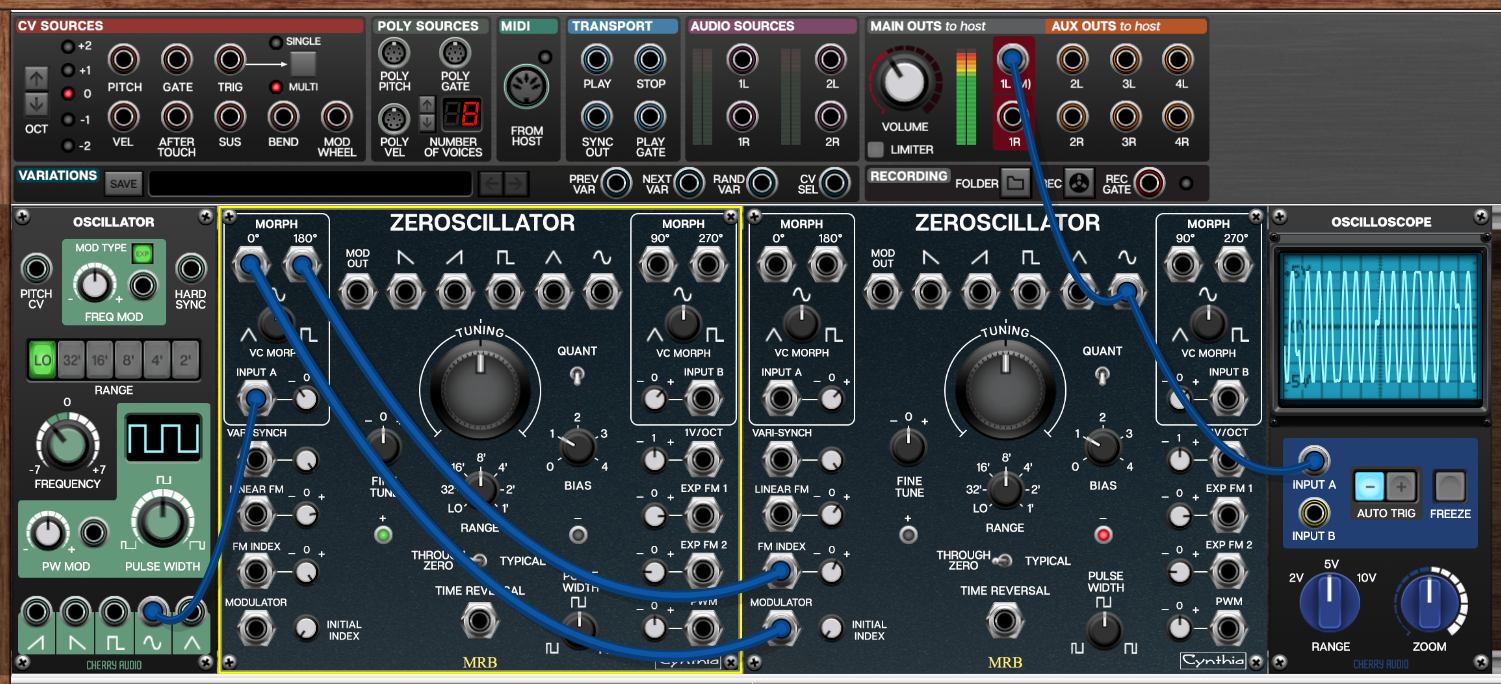
For example, one oscillator might morph slowly between waveforms while its 0° output modulates the frequency of a second oscillator. Its 180° output could simultaneously control the second oscillator's FM INDEX. As the morphing waveform changes, both the modulation signal and its depth evolve.
Another patch might combine exponential pitch control, through-zero FM, PWM and TIME REVERSAL. The result can be much more complex than a simple two-oscillator FM arrangement.
These are not merely ways to make a sound more complicated. They allow you to explore different relationships between frequency, phase, waveform shape and modulation depth.
Further listening and learning
Mark Barton's own video demonstrates the Voltage Modular implementation:
Voltage Modular Zeroscillator demonstration
For a longer exploration of FM theory and patching, I have also made an extended video of my own, running for nearly two hours:
Watch my Zeroscillator and FM synthesis video
In the companion article, Patch Lab: Four Voltage Modular Zeroscillator Experiments, we will put the module's functions into practice with concrete patches. After that, a separate article on FM theory can take us further into linear and exponential modulation, through-zero operation, and the spectral relationships that make FM such a powerful tool.